Archiving a document for the long term is supposed to be simple: you save it, and it stays readable forever. But when that document carries hidden details about who wrote it, what software they used, or where they were located, the line between preservation and surveillance blurs. This tension sits at the heart of PDF/A, an ISO-standardized subset of PDF designed specifically for long-term digital preservation. The format demands rich, embedded data to ensure a file renders correctly in fifty years, yet that same requirement can permanently expose personal information if not managed carefully.
If you are preparing files for public repositories, legal discovery, or institutional archives, you face a specific problem. You need the file to meet strict technical standards while stripping away the private breadcrumbs that follow every click in your word processor. Balancing these two needs requires understanding exactly what lives inside a PDF and using tools that respect both the standard and your right to anonymity.
The Core Conflict: Preservation Requires Data
To understand why privacy is at risk, we have to look at what makes a PDF compliant with the PDF/A-1b or PDF/A-4 standards. Unlike a regular PDF, which might rely on external fonts or linked images, a PDF/A must be self-contained. It embeds everything needed to display the page. Crucially, it also mandates a structured metadata packet known as XMP (Extensible Metadata Platform).
This XMP packet is not optional. It records the conformance level, the creation date, and often descriptive fields like Title, Creator, and Subject. Archives love this. It allows librarians to search their collections without opening every single file. Legal teams rely on it to prove provenance. But from a privacy standpoint, this mandatory container becomes a trap. If your word processor automatically fills the "Creator" field with your full name and email address, that information is now locked into the file structure alongside the text itself.
The conflict intensifies with newer versions of the standard. While early iterations focused on text and basic graphics, later profiles introduced capabilities that expand the surface area for data leakage. When institutions mandate these formats for thesis submissions or public records, authors often find themselves unable to control what gets preserved alongside their work.
What Is Actually Hidden in Your File?
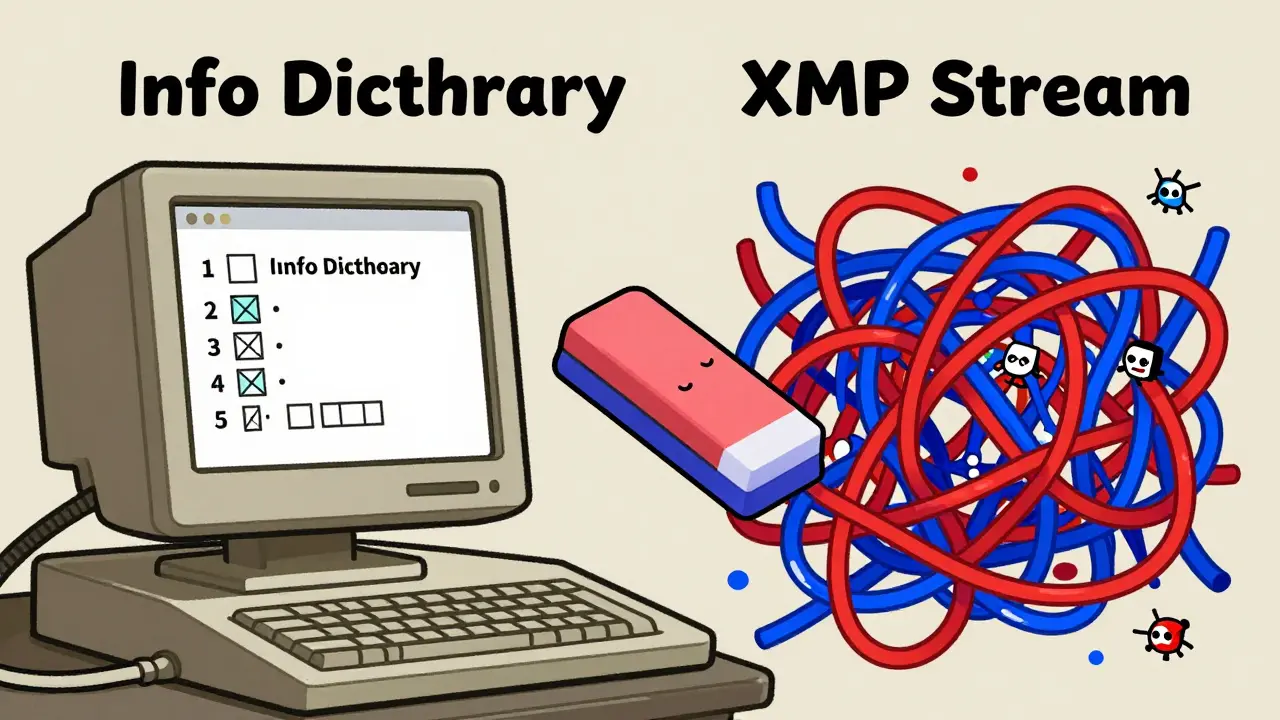
Most people assume a PDF only contains what they see on the screen. In reality, a standard PDF carries two parallel stores of metadata, and cleaning just one leaves the other intact. This dual-layer architecture is the primary reason naive cleaning methods fail.
- The Info Dictionary: This is the older, legacy store. It holds basic properties like Author, Title, Keywords, and CreationDate. Many simple scripts target only this layer.
- The XMP Stream: This is the modern, XML-based package required by PDF/A. It duplicates much of the Info dictionary but adds richer schemas, including Dublin Core elements, software identifiers, and sometimes GPS coordinates if images were involved.
When you export a document from Microsoft Word or Adobe InDesign, both layers get populated. If you use a tool that only wipes the Info Dictionary, the XMP stream remains, preserving your name and editing history. Conversely, clearing XMP while leaving the Info Dictionary defeats the purpose. For a file to be truly clean, both streams must be scrubbed simultaneously without altering the visual content of the pages.
| Feature | Info Dictionary | XMP Stream |
|---|---|---|
| Age/Origin | Legacy (PDF 1.0+) | Modern (PDF 1.4+) |
| Data Structure | Key-Value Pairs | XML Packet |
| Required for PDF/A? | No (but usually present) | Yes (Mandatory) |
| Common Privacy Risks | Author Name, Software Version | Detailed Editing History, GPS, Custom Tags |
The Risk of Embedded Attachments
The complexity grows significantly when dealing with PDF/A-3. Introduced to allow embedding of arbitrary file types within an archival PDF, this profile enables hybrid workflows. You can attach a raw CSV dataset or an XML source file directly inside the PDF/A container. This is powerful for engineers and accountants who need machine-readable data alongside human-readable reports.
However, the National Digital Stewardship Alliance (NDSA) has warned that this feature expands the attack surface for privacy breaches. An attachment might contain unredacted drafts, internal comments, or sensitive client data that was never intended for public consumption. Because the attachment is part of the archival package, it persists indefinitely. If you are submitting documents to a government archive or a public repository, an unchecked attachment can reveal far more than the main document ever could.
For authors, this means validation is not enough. You cannot simply run a checker to ensure the file meets ISO 19005 standards. You must actively inspect the contents of any embedded files and decide whether they belong in the permanent record. Tools that offer a preview mode allow you to see these attachments before you commit to the final version.
How to Strip Metadata Without Breaking Compliance
The goal is to remove personal identifiers while keeping the file valid. A common mistake is using generic online converters that re-process the entire document. These services often upload your file to a remote server, process it, and send back a new file. Not only does this violate your privacy during the transfer, but the re-processing can alter fonts, shift layouts, or break the PDF/A conformance entirely.
A better approach is local processing. By handling the file on your own device, you ensure that no third party sees your data. Furthermore, specialized tools understand the distinction between metadata and content. They rewrite the metadata headers-clearing the Author, Creator, and XMP tags-while leaving the content streams untouched. This results in a file that looks identical to the original but carries no trace of its origin.
For instance, if you need to clean a complex report before publishing it, you can use Vaulternal's PDF metadata remover. This browser-based utility processes files locally using WebAssembly, meaning the document never leaves your computer. It targets both the Info Dictionary and the XMP stream, ensuring that no hidden data survives the cleanup. Because it operates at the byte level without re-rendering the pages, the output remains fully compliant with PDF/A standards and visually indistinguishable from the input.
Workflow Recommendations for Authors
Integrating privacy checks into your document workflow prevents last-minute scrambles. Here is a practical sequence for handling sensitive PDFs destined for long-term storage.
- Inspect First: Before exporting, check your word processor's metadata settings. Disable options like "Save personal information" in Word or similar toggles in other editors. Use an inspector tool to view the current metadata state of your draft.
- Export to PDF/A: Generate your archival file. Ensure all fonts are embedded and colors are converted to a device-independent space (like sRGB or CMYK) to guarantee future readability.
- Validate Conformance: Run the file through a validator to confirm it meets the required PDF/A level (e.g., PDF/A-1b or PDF/A-4). This step catches technical errors like missing font subsets.
- Sanitize Metadata: Use a dedicated cleaner to strip the Info Dictionary and XMP packet. Verify that fields like Author, Creator, and Producer are empty or set to neutral values.
- Review Attachments: If using PDF/A-3, manually delete any unnecessary embedded files. Keep only those essential for the document's function.
- Final Validation: Run the cleaned file through the validator again. Removing metadata should not break conformance, but it is wise to double-check.
This routine ensures that your document satisfies the archivist's need for stability while protecting your right to anonymity. It shifts the burden from reactive damage control to proactive design.
Why Local Processing Matters More Than Ever
In an era where data harvesting is automated and pervasive, the method you use to clean your files is as important as the cleaning itself. Cloud-based PDF tools often operate as black boxes. You upload a confidential contract, a medical record, or a journalistic source list, and hope the provider deletes it after processing. There is no way to verify this claim.
Local processing eliminates this trust gap. When a tool runs entirely within your browser or on your desktop, the network tab in your developer console shows zero outgoing requests for the file content. This transparency is critical for journalists, lawyers, and whistleblowers who handle high-stakes documents. It also appeals to casual users who simply do not want their personal browsing habits or document histories sold to advertisers.
Moreover, local tools tend to be faster for large files since they avoid upload and download latency. For multi-gigabyte archival sets, this efficiency difference is substantial. The trade-off is that you must manage the tool yourself, but the security benefit outweighs the minor inconvenience.
Legal and Institutional Implications
Institutions often struggle with the balance between access and privacy. Libraries want rich metadata to help researchers find materials. Governments want transparent records. Yet, individuals have legitimate expectations of privacy regarding their working methods and identities. Laws like GDPR and CCPA reinforce these rights, making it illegal to retain personal data longer than necessary.
By stripping metadata before deposition, organizations can comply with these regulations while still providing useful documents. The key is policy. Archives should establish clear guidelines on what metadata is acceptable. Generally, structural metadata (page count, language, format version) is safe. Descriptive metadata containing names, addresses, or software fingerprints should be removed unless explicitly authorized by the author.
This approach respects the spirit of archival compliance-preserving the information content-without violating the letter of privacy law. It transforms PDF/A from a potential privacy risk into a secure vessel for knowledge.
Does removing metadata break PDF/A compliance?
No. PDF/A requires the presence of an XMP packet with specific technical identifiers (like the pdfaid:part property), but it does not require personal descriptive metadata such as Author or Creator. As long as the tool preserves the mandatory technical tags and removes only the optional personal ones, the file remains fully compliant. Always validate the file after cleaning to be sure.
Can I recover metadata after it has been removed?
Generally, no. Once metadata is stripped from the PDF structure, it is gone. Unless you have a backup of the original file or the metadata was duplicated in another system (like a database catalog), there is no way to restore it. This permanence is why careful inspection before removal is crucial.
Is PDF/A-3 safer than PDF/A-1 for privacy?
Not necessarily. PDF/A-3 allows embedding arbitrary files, which increases the risk of accidentally including sensitive attachments. PDF/A-1 is simpler and has fewer vectors for hidden data. However, both formats carry metadata risks. The safety depends entirely on how well you manage the metadata and attachments before archiving, not just the version number.
Do free online PDF cleaners actually delete my file?
There is no reliable way to verify this. Most online tools upload your file to a server, process it, and return the result. Even if they claim to delete files immediately, you are trusting their word. For sensitive documents, local processing tools that never upload the file are the only way to guarantee confidentiality.
Why does my PDF have two different metadata sections?
PDFs evolved over time. The Info Dictionary is the original metadata format from the first PDF specifications. The XMP stream was added later to support richer, standardized data exchange. Modern PDFs include both for backward compatibility. Cleaning tools must address both to ensure complete privacy.
Comments (11)
Barclay Chantel
June 3, 2026 AT 00:06
Oh, brilliant. Another article telling us that the digital world is a surveillance state and we should all be cowering in fear of our own word processors. It’s almost as if people who write documents don’t care about privacy until they’re forced to by some tedious compliance officer. The pretension of thinking that 'cleaning metadata' is some high-art form of resistance is laughable. Most of you probably can’t even find the properties menu in Word without crying for IT support.
Edith Mair
June 3, 2026 AT 10:47
I’ve been digging into this because my firm deals with sensitive legal discovery docs, and it turns out the XMP stream is way more dangerous than anyone realizes. You can strip the Info Dictionary, but if the XML packet inside still has your GPS coordinates from when you took a screenshot of a map and pasted it in? Game over. I ran a test on a dummy PDF and found embedded camera data from three different phones just from dragging images around. It’s wild how much stuff gets locked in there permanently.
Sam Dashti
June 5, 2026 AT 04:53
It’s like playing Jenga with your own identity, except the blocks are invisible code snippets and the tower collapses silently. I tried using one of those online converters once, mostly out of laziness, and got a nasty email from my boss asking why my draft contract was hosted on a server in Estonia. Turns out the 'free' tool was indexing everything. Now I’m paranoid about every single export button I click. Who knew saving a file could feel like defusing a bomb?
Joe Clements
June 5, 2026 AT 10:37
Hey everyone, just wanted to chime in because I struggled with this exact issue last week when submitting my thesis. The university required PDF/A-1b, but their validator kept rejecting my file after I tried to clean it with a generic tool. It turned out I had accidentally deleted the mandatory technical tags along with my name. Using a local tool that specifically targets only the personal fields saved my sanity. It’s really important to double-check that the pdfaid:part property stays intact or the whole thing gets flagged as non-compliant.
Rosie Morris
June 6, 2026 AT 22:48
omg i had no idea my pdfs were talking about me behind my back lol. i always thought it was just text and pictures. so scary that my location could be in there from a pic i took?? i guess i need to start checking these things before i send stuff to my grandma. thanks for explaining it simply though, usually tech stuff goes right over my head.
lorna erni
June 7, 2026 AT 03:14
Let’s stop pretending that 'privacy' is a valid concern for most people here. If you have something to hide, you shouldn’t be publishing documents at all. Archives exist to preserve truth, not to protect the egos of authors who think their working drafts are state secrets. This obsession with scrubbing metadata is just another form of censorship disguised as security. We should be demanding full transparency, not building digital fortresses around our lazy writing habits.
stalin brian
June 7, 2026 AT 11:53
look, i get the hype about privacy, but honestly, most of us just want to hit send and forget about it. its crazy how much work is involved now. i used to just save as pdf and done. now im reading about xmp streams and info dictionaries like im hacking the pentagon. maybe we need better defaults in word instead of making every user a cryptographer. just a thought.
kamal ifrani
June 8, 2026 AT 14:02
This entire thread is a masterclass in how little you actually understand about digital forensics. You think stripping metadata makes you safe? Please. The font subsets alone can fingerprint your operating system and software version with 99% accuracy. And don’t get me started on PDF/A-3 attachments. I’ve seen lawyers embed entire Excel sheets with client names in the background layer just because they didn’t know how to merge cells properly. You’re not cleaning anything; you’re just painting over the cracks while the house burns down.
saradee dee
June 9, 2026 AT 11:06
Wow, that sounds really intense! I never realized that saving a document could leave so many traces. It’s kind of sad that we have to worry about this stuff, but I guess it’s better to be safe than sorry. I’ll definitely try to check my settings next time I export something. Thanks for sharing this info, it’s really helpful to know what to look out for!
Craig Swanson
June 11, 2026 AT 08:43
Listen up, folks! If you’re handling any kind of sensitive data, you cannot afford to be sloppy. I see too many people treating these standards like suggestions. They aren’t. They’re laws. If you’re uploading to a public repo, assume someone is scraping every byte for PII. Use local tools. Validate twice. And for the love of god, stop using free online converters for anything that isn’t a grocery list. Your data is worth more than your convenience.
Bill Gunn
June 12, 2026 AT 00:25
Great discussion here! 👍 I’d add that WebAssembly-based tools are becoming the gold standard for this because they offer that sweet spot of power and privacy. Since the processing happens in your browser sandbox, there’s literally no network request to leak your file content. It’s like having a secure vault in your Chrome tab. 🛡️ Just make sure you verify the source code or trust the vendor, because client-side doesn’t automatically mean bug-free. Happy archiving! 📂✨